How to Write an Essay in Style Optimizer: The Creative Workflow, With Examples
November 24, 2026 · Equipo Style Optimizer

You have the document open. On the screen, a paragraph you have been staring at for twenty minutes:
“Nostalgia is more than a longing for the past; it is a way of criticizing the present. When we idealize what was, we are measuring, often without knowing it, what we lack today.”
You like the sentence. The trouble is the silence that follows. You know you can’t just carry on from there, because a demanding reader already has a hand up: “What if nostalgia criticizes nothing, and is plain escapism?” If you don’t answer that objection, your essay stays a pretty intuition. But putting it well, alone, at eleven at night, is hard.
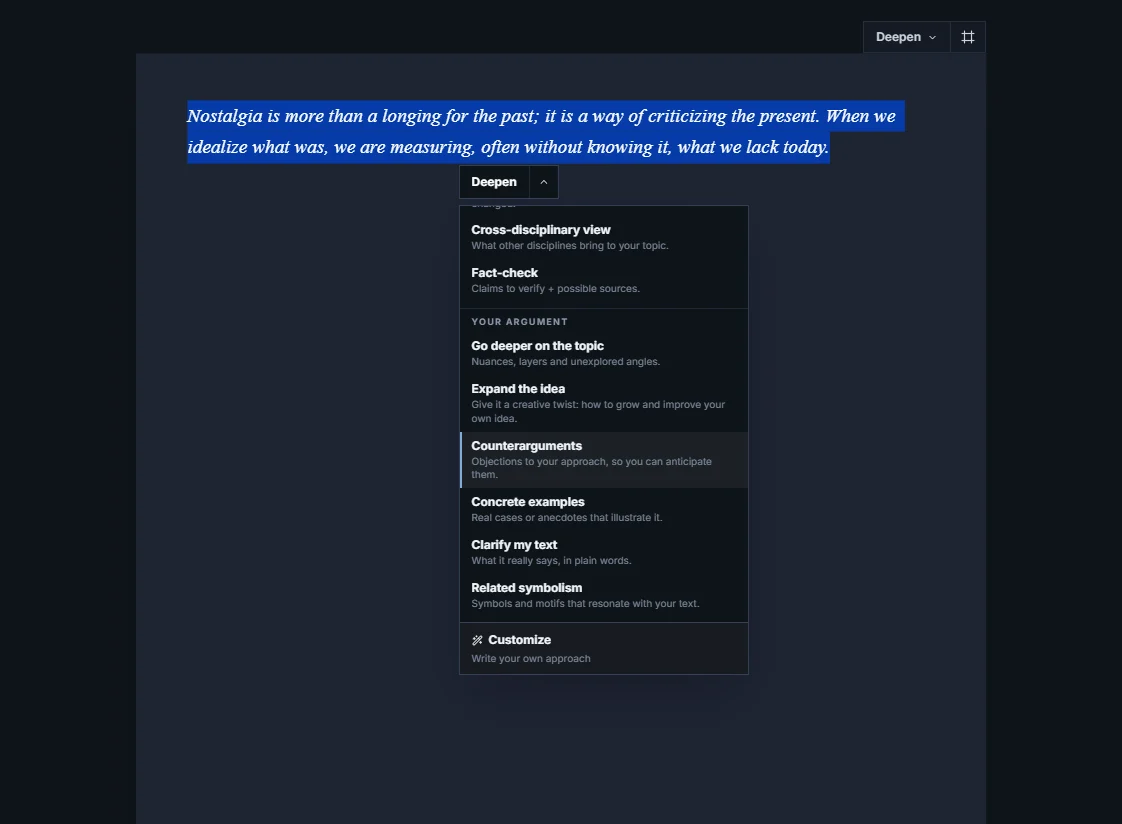
You select the sentence, open the floating menu and choose Deepen → Counterarguments.
Two seconds later you have three objections on the table:
“One could object that nostalgia evades the present more than it criticizes it: it offers comfort where it should demand change.”
“Some argue that idealizing the past distorts memory and makes it an unreliable judge of the present.”
“A different reading would say every age has felt nostalgia: it measures a human constant, and no real lack.”
The first is exactly the snag you had sensed. You insert it as a note, write a “One could object that…” and, in refuting it, your paragraph doubles in depth. The block didn’t lift because the machine wrote for you. It lifted because it put in front of you the objection your own text was asking for. That, in one scene, is how to write an essay with Style Optimizer. Let’s go feature by feature.
Deepen: go deeper into what you are researching
The usual misunderstanding with AI tools is to expect them to fill the page. Deepen does the opposite, and that is why it works for essays: it leaves your prose alone and hands you short ideas, inserted as notes in italics with a 💡 in front. Think of it as a research assistant offering you ideas and ways out of a thought.
Where you can tell it was built for essayists is in the modes it offers. You mark a passage, open Deepen and pick the kind of help that fits the exact place you are stuck:
Go deeper on the topic: nuances, layers and angles you haven’t explored yet. For when your idea is right but too smooth.
Find references: authors, works or studies that back up what you claim. For when you suspect “someone has said this better” and want to find them.
Fact-check: claims worth verifying, with possible sources. For when you are writing from memory and a figure sounds too neat.
Counterarguments: the strongest objections to your thesis. The mode from the scene above.
Concrete examples: real cases or anecdotes that illustrate the abstract. For bringing a philosophical idea down to earth.
Define key terms: concepts that deserve to be pinned down before the reader gets lost.
Follow the line of argument: how to lead into the next section. For those jumps where the next paragraph refuses to be born.
More practical cases for essay writing with Deepen
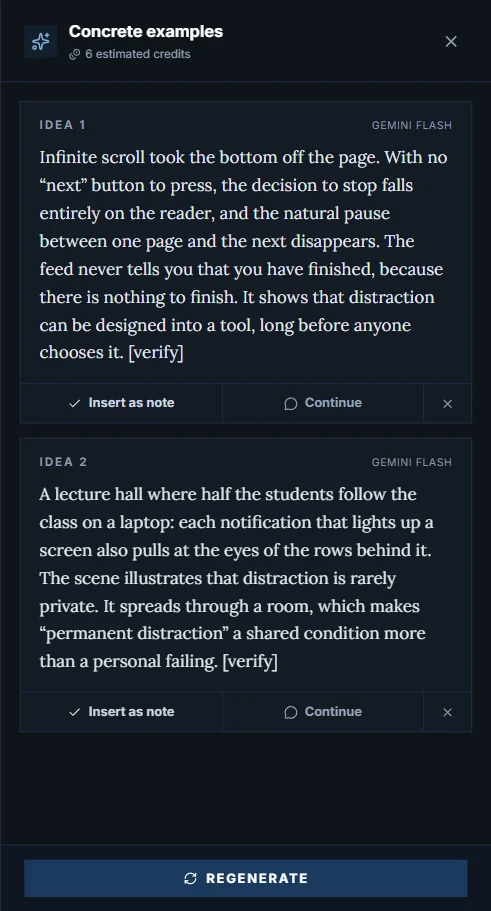
The argument that sounds like a tweet. You wrote “we live in the age of permanent distraction.” True, but flat. You select it and choose Concrete examples: the AI suggests infinite scroll, the attention economy, the classroom where nobody looks up. You pick one, develop it, and the claim stops being a slogan and becomes an argument.
The concept you take for granted. Your essay turns on the word “freedom,” but you never say which kind. Define key terms reminds you that negative freedom (the absence of coercion) and positive freedom (the real capacity to act) live side by side, and that your thesis depends on which one you mean. One paragraph of definition and your essay is no longer ambiguous.
The section ending that won’t come. You are closing a block on memory and don’t know how to get into the one on identity. Follow the line of argument lays out three possible bridges; you choose the one that respects your logic and keep going.
When to use Deepen, at a glance
A thesis that is too comfortable → Counterarguments
An abstract idea → Concrete examples
Flat text → Go deeper on the topic
An ambiguous concept → Define key terms
A jump between sections → Follow the line of argument
Not enough authority → Find references
A doubtful fact → Fact-check
And when what you need is prose, the neighboring actions in the same menu cover it: “Write from here” continues the text (with essay modes such as Advance the argument, Illustrate with an example, Cite a reference or Interim summary), and “Rewrite” transforms what you already have (academic tone, for a general reader, more precise, more argumentative, more nuanced). Deepen thinks; the other two write. Knowing which one to press at each moment is half the battle.
The Assistant: someone who has read your whole essay
Deepen works on a fragment. But some questions only make sense about the whole, and that is what the Assistant is for.
Imagine you finish the first draft at two in the morning. You have reread it so many times you can’t see it anymore. Does the introduction promise what the body delivers? Which argument limps? You open the Assistant in the sidebar and, in place of a generic chatbot, you talk to someone who has read your document, a personal writing mentor you can ask about your own text.
You write: “Is my thesis clear in the introduction, or does it get diluted?” It answers by pointing to the exact paragraph where the promise goes blurry. You ask “Which is my weakest argument?” and it points to the one you hold up without an example. There are also one-click suggestions, such as “How do I improve the rhythm?”, to get the conversation going when you don’t even know what to ask.
And it connects with the rest of the workflow: from an Deepen result you can press “Continue conversation” and take that idea into the chat to discuss it in depth: why that counterargument is the strongest, how to refute it without a straw man. The Assistant is no oracle; it is the critical reader you don’t have on hand at two in the morning.
Affinities: the tradition your essay is talking to
Another scene. You have written twenty pages on nostalgia and time, and an uneasy feeling keeps circling: “This sounds familiar. Who am I imitating without meaning to?” Or the other way round: you want to give the essay more authority, but you don’t know whom to cite.
You press Affinities → Similar books. The tool compares your document with a catalog and returns works related to yours, each with its title, author and the reason for the match: why that book shares your literary DNA. For an essayist this pays twice. First, it places you in a conversation: you find out whom you are in dialogue with, whether you knew it or not, and that gives you perspective on your own voice. Second, it opens up your bibliography: every affinity is a potential read and a reference your argument will thank you for. Whatever is useful, you save to your library in one click and have at hand when the time comes to cite.
The Seismograph: seeing the rhythm your ear no longer catches
You read your essay aloud and something tires you, but you can’t tell what. It is almost always the rhythm: sentences of the same length, one after another, like a metronome.
The Seismograph makes it visible. It draws the rhythm sentence by sentence on a chart and classifies each one, from agile to stalled, and gives you figures for average length and variation. The stretch where the reader nods off shows up as a flat plateau on the screen. You see it, split one long sentence in two, lengthen another, and the paragraph breathes again. It isn’t theory about rhythm: it is your rhythm, measured. You can try it on any text, without an account, in the sentence length checker, and read more in our guide to sentence rhythm.
The Judge: the verdict an editor would give
When you think the essay is ready, the moment of truth arrives. The Judge, in its Essay mode, issues a critical verdict focused on what really matters in this genre: how solid the argument is, how you develop your ideas and which authors your text is in conversation with. No numeric grades and no cold rubrics: a readable opinion, the kind of feedback you would get from an editor who took your work seriously. And, like everything in Style Optimizer, it suggests and you decide: it tells a deliberate transgression from a slip, so you sharpen the essay and your voice stays yours.
Research: the sources, without leaving the editor
And if your essay needs academic backing, there is no need to open ten tabs. Research searches for citations across more than 500 million sources (Semantic Scholar, PubMed, OpenAlex, Open Library, Europeana) from the sidebar itself. You search for the topic or the author, save the paper or the book to your library, and go back to writing without losing your thread. The antidote to the essay that claims a lot and proves little.
The whole workflow, in one sentence
Deepen gives you angles and objections, “Write from here” and “Rewrite” supply the prose, the Assistant acts as editor, Affinities places you in a tradition, the Seismograph tunes the rhythm, the Judge gives its verdict and Research brings the sources. It is your essay, with a whole workshop around it.
Some of the menu names above may still appear in Spanish in the editor.
Frequently asked questions
This section sums up, in a self-contained and quotable way, the basics of how to write an essay.
What is an essay?
A prose text that defends a thesis through argument, where fiction tells and a summary reports. Its marks: a debatable thesis, linked arguments, evidence and examples, objections anticipated, and a voice of its own.
What is the structure of an essay?
Introduction (presents the thesis), body (links arguments, examples and counterarguments) and conclusion (synthesizes, and does more than repeat). Within the body, each block has a job: to go deeper, illustrate, object or synthesize.
How do you write an essay step by step?
State a debatable thesis in a single sentence.
Do your research and gather references.
Structure the argument.
Write the first draft straight through, without stopping to correct.
Revise style, rhythm and coherence.
What is a good thesis?
A claim someone could disagree with. “Nostalgia is pleasant” is too obvious to be a thesis; “Nostalgia is a veiled critique of the present” is one.
How do I build solid arguments?
Support every claim with a concrete example and anticipate the strongest objection you would face. An essay matures when it argues with itself.
How do I keep my essay from sounding monotonous?
Vary the length of your sentences and check for repeated words and clichés. Alternating short and long sentences creates rhythm; uniformity tires the reader.
Can an AI write my essay for me?
Style Optimizer takes the opposite approach: it gives you back ideas, and leaves the finished prose to you, so you think better and faster. The writing is still yours.
If your essay is going to become a book, follow the guide on how to write a book and publish it.