Brain 3.0: A Map of Your Writing That Suggests Reading, Art and Ideas
November 24, 2026 · Equipo Style Optimizer
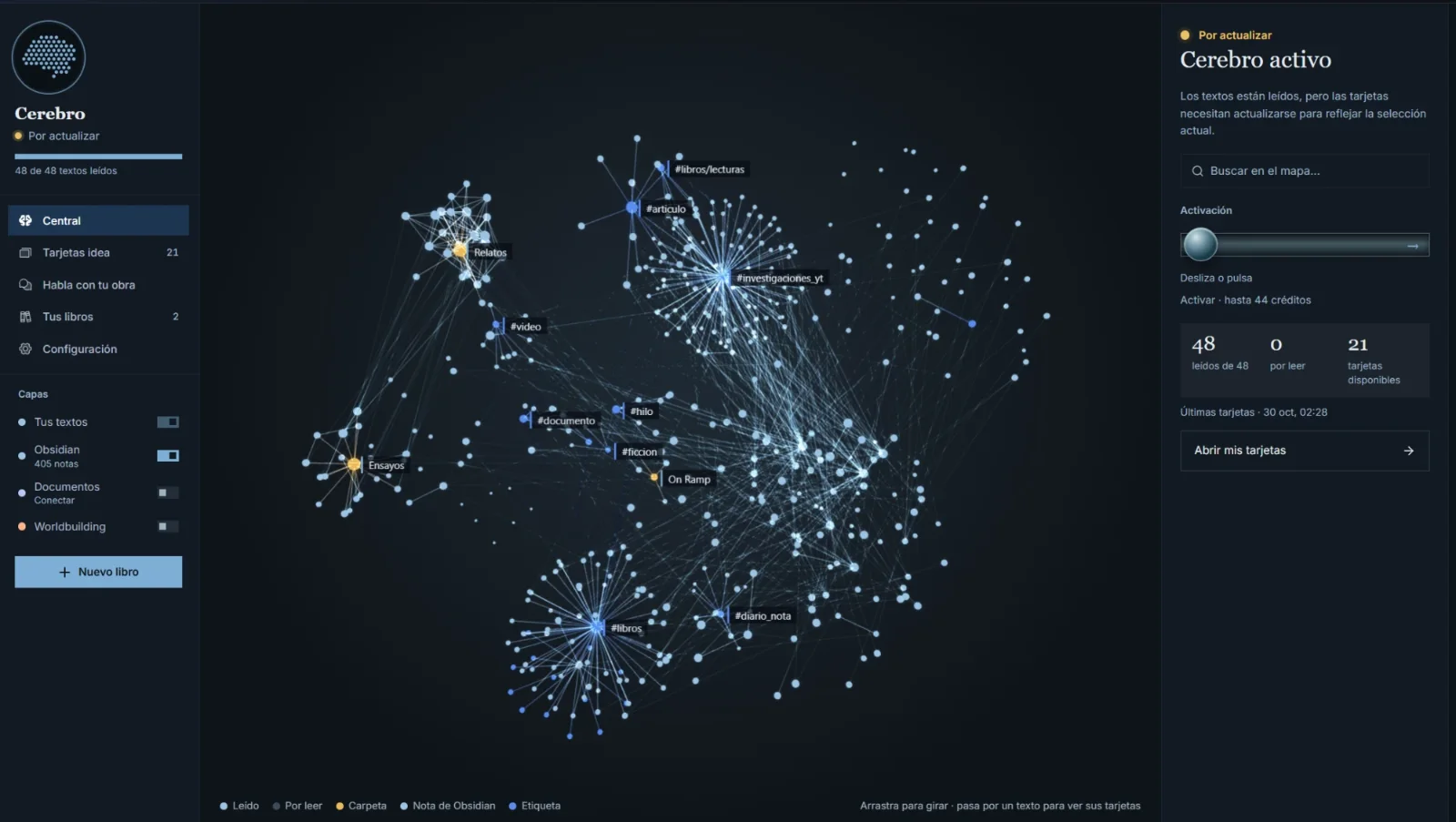
The Brain reads your texts and gives you back what you weren’t seeing. In version 3.0 it changes inside and out: besides echoes and resonances, it suggests books, works of art, studies and concrete ideas to take what you are writing further. And its main view is now the map of your work.
Two families of cards
- Proposals bring what your work doesn’t have yet: a Reading, a work of Art, a Study, a latent Finding or a Path still to be written.
- Resonances gather what is already there: Echoes, Patterns and Tensions across your texts.
- Every card starts from a literal quote from your texts and ends in a bet: a concrete move on a passage, with its steps and what is at stake.
- The sources are verified. Every author and every work is looked up in Open Library, Wikipedia and Crossref before it reaches you; if the author turns up in none of them, the card is discarded.
- What has been read is kept: when you pull the lever again, only what you have changed gets read.
The main view: the map of your work
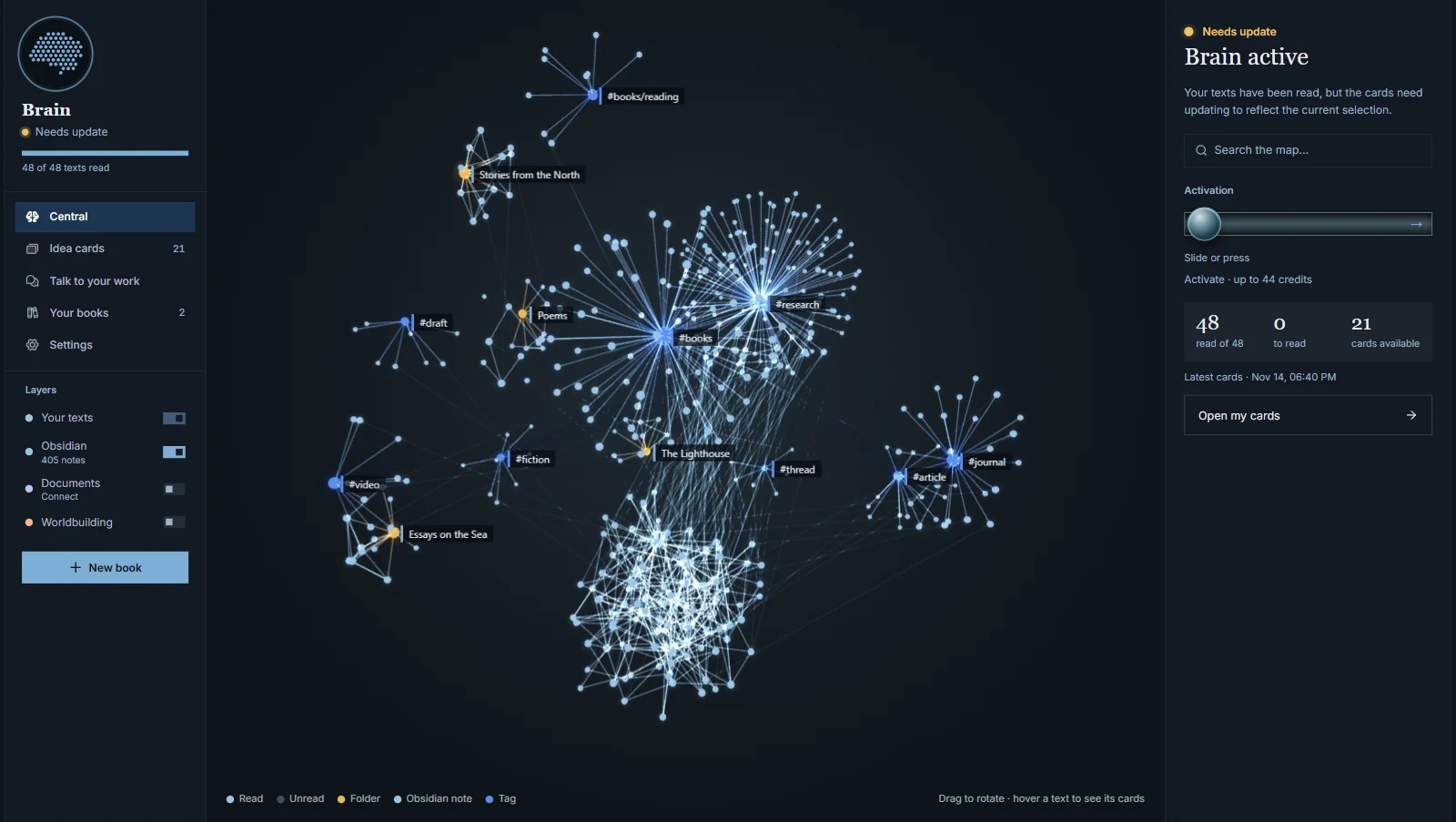
The Brain and the Graph now live on a single map that takes up the full width. On the right you have the status, the search box, the lever, the figures and your cards.
- Four layers, each with its own switch: Your texts, Obsidian, Documents and Worldbuilding.
- Layers are only displayed: the Brain shows them without reading them with AI and without spending credits, and your Obsidian vault stays in your browser.
- The search box lights up texts, folders, notes, characters and places, and dims the rest. Press Enter and the camera goes to the first match.
The lever, thinking
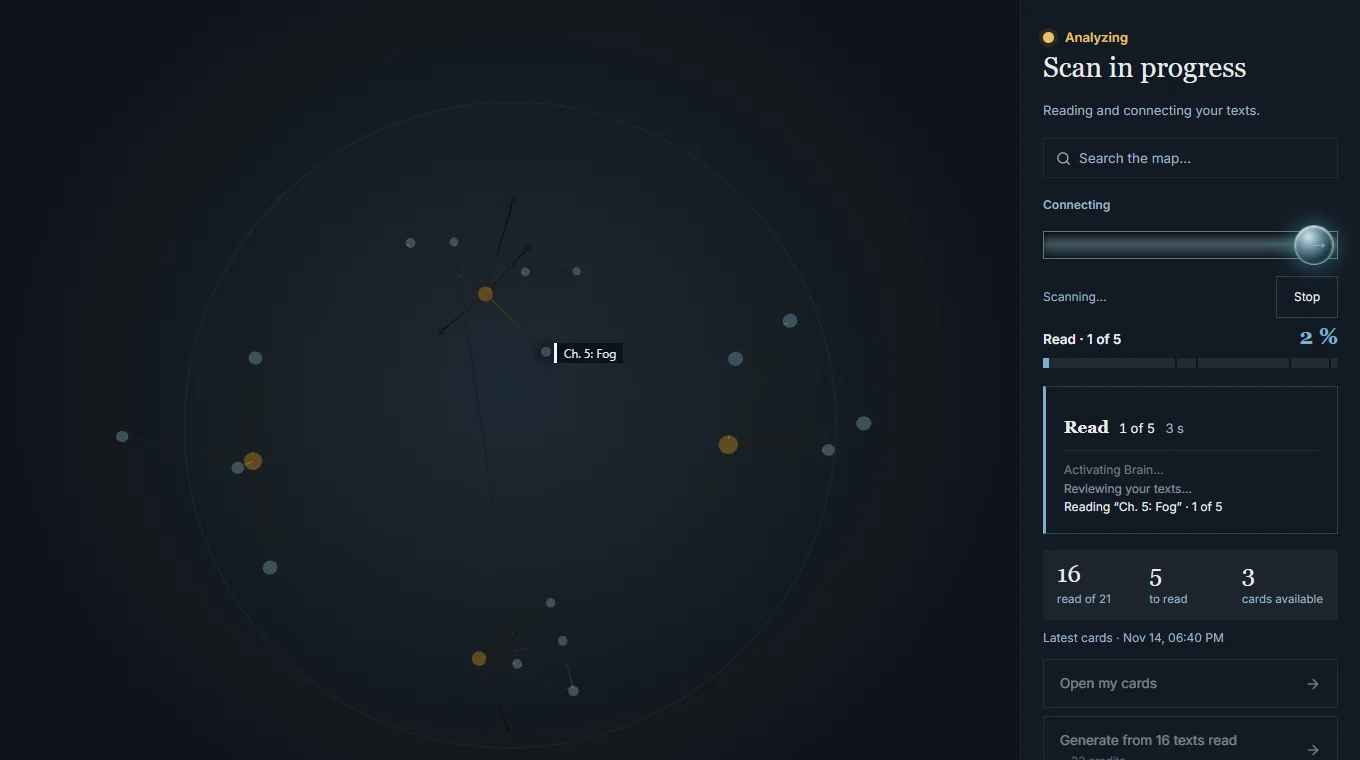
You slide the lever to the right or click it, and before it starts it tells you the most it can cost. Then it goes through five phases, with a bar from 0 to 100: Read, Connect, Propose, Check and Save. The map lights up the text being read, and a trail tells you the last thing it did, from “Batch 1: 8 cards proposed” to each author it has checked.
The card table
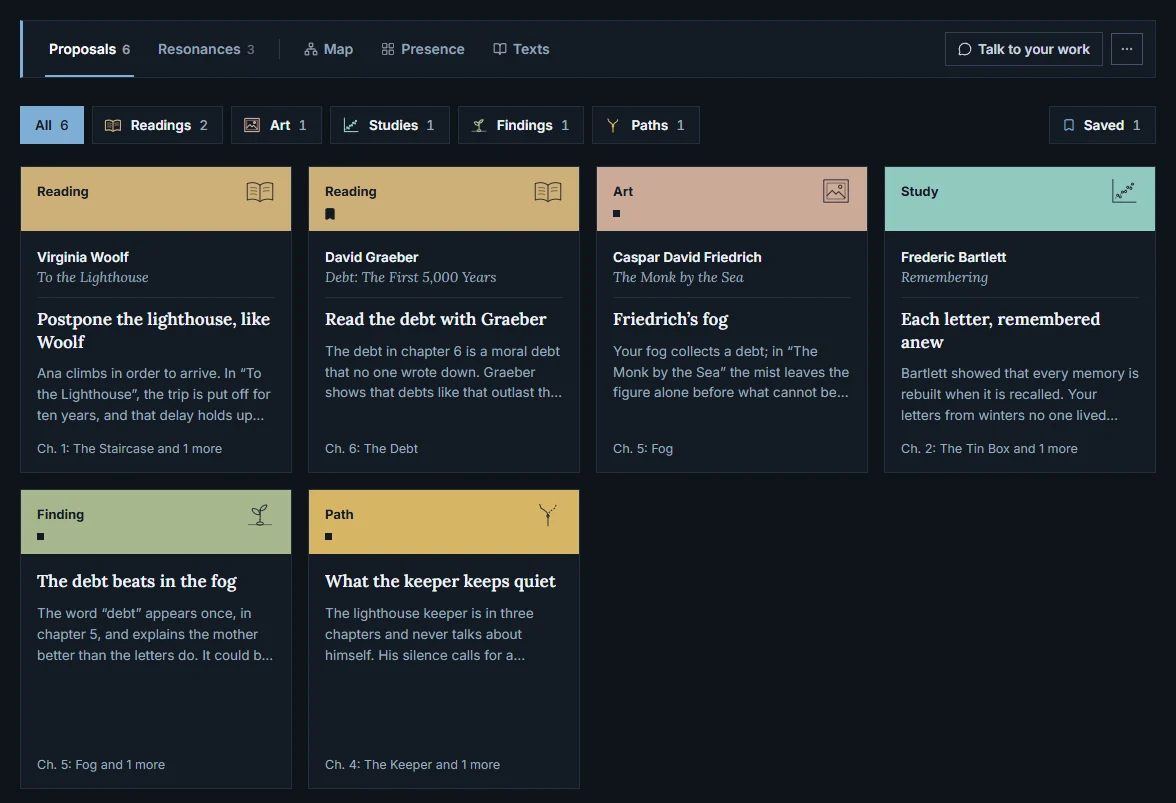
All the cards sit together, with one filter by type and another for the ones you saved. Each card shows its source like a bookplate, with the author and the work, along with the title, the opening of the text and the chapter it comes from.
The card, opened
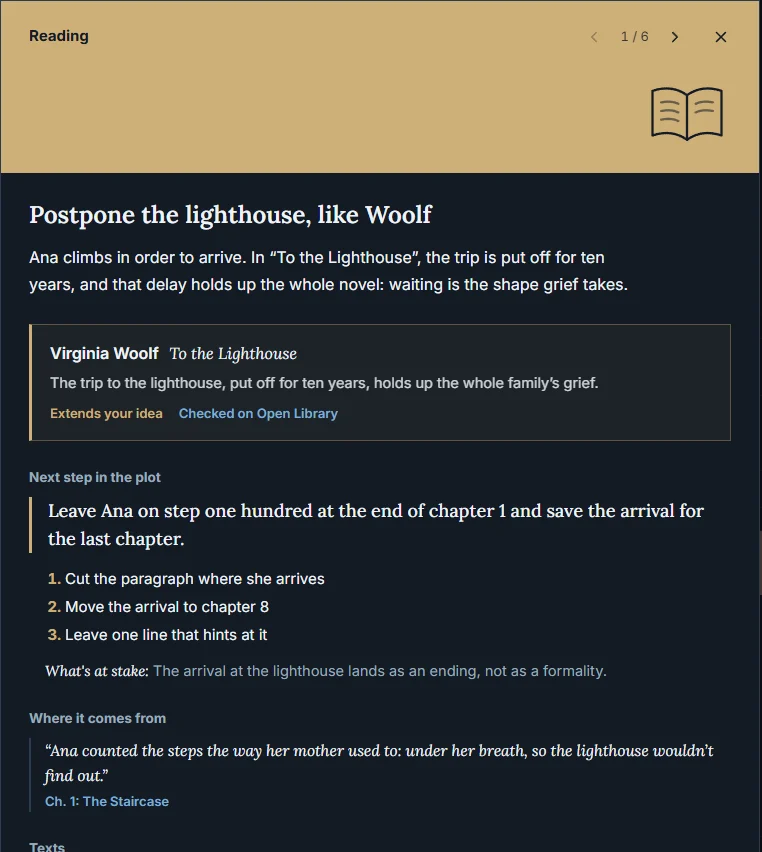
Click a card and it opens in full in the center. Use ← and → to move to the next one, and Esc to close it. At the bottom you have Save, Branch out, Talk it over, Read and Discard.
Open the Brain and put your texts on the map.