Worldbuilding app: your novel’s universe in one place
October 8, 2026 · Equipo Style Optimizer
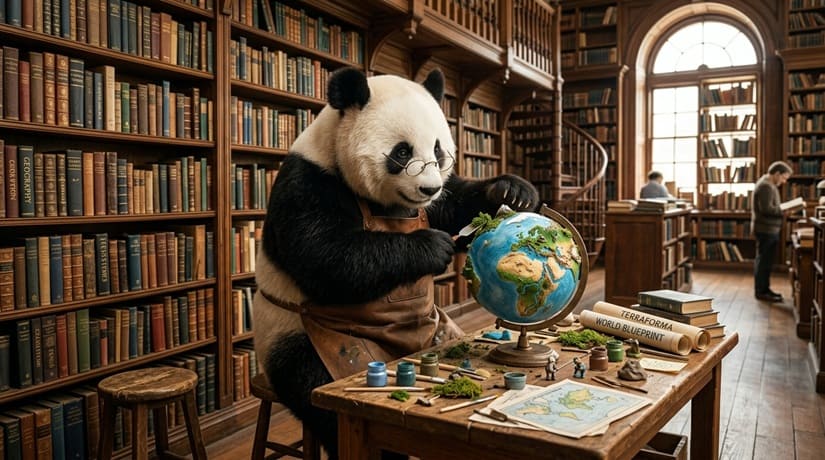
Today we want to take a closer look at a new feature we’re building for novelists and for anyone who loves fiction: a worldbuilder.
The Worldbuilding module is where the universe of your work lives: the characters who inhabit it, the places where it happens, the maps that hold it together and the planets that frame it. We designed it for writers of long-form fiction (novels, series, linked story collections), and it works just as well for travel writing, geographical essays or autofiction.
This is a visual tour of the module, section by section, with two worked examples at the end so you can see how all the pieces fit together.
1. Characters
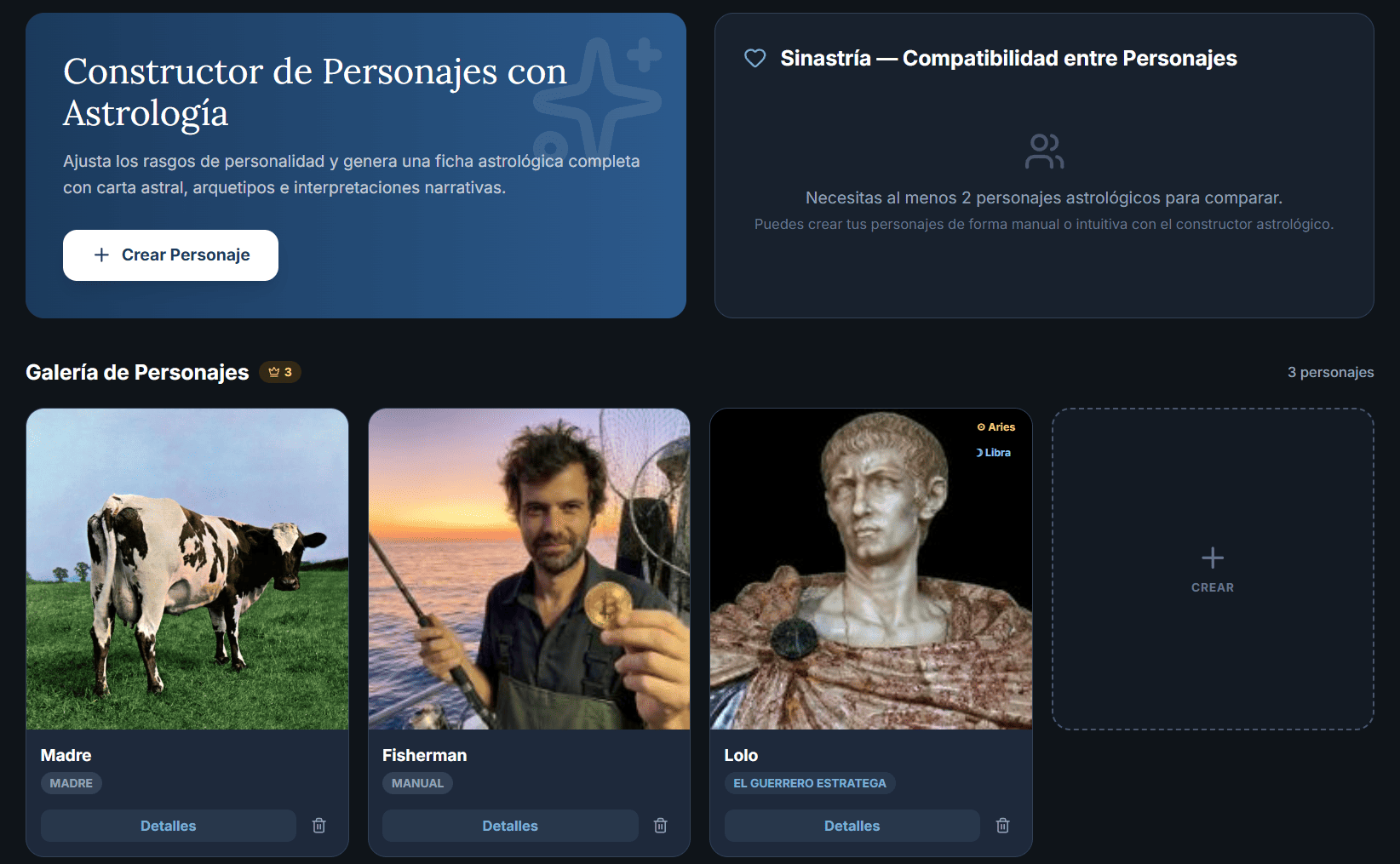
Each character has a profile with a name, photo, role, age, physical description, personality, motivations, weaknesses, relationships and free-form notes. There are two ways to create them:
Manual: you fill in the fields yourself. Quick if you already have the character clear in your head or you’re bringing them over from another profile.
AstroLab: you set traits with sliders (impulsiveness, logic, morality, hedonism…) and an AI generates a full birth chart, an archetype and a psychological biography consistent with those traits.
Manual profiles can be converted to astrological ones with one click from the gallery: the AI reads what you wrote and builds the matching chart. Useful when you start fast and want to go deeper later.
2. Locations
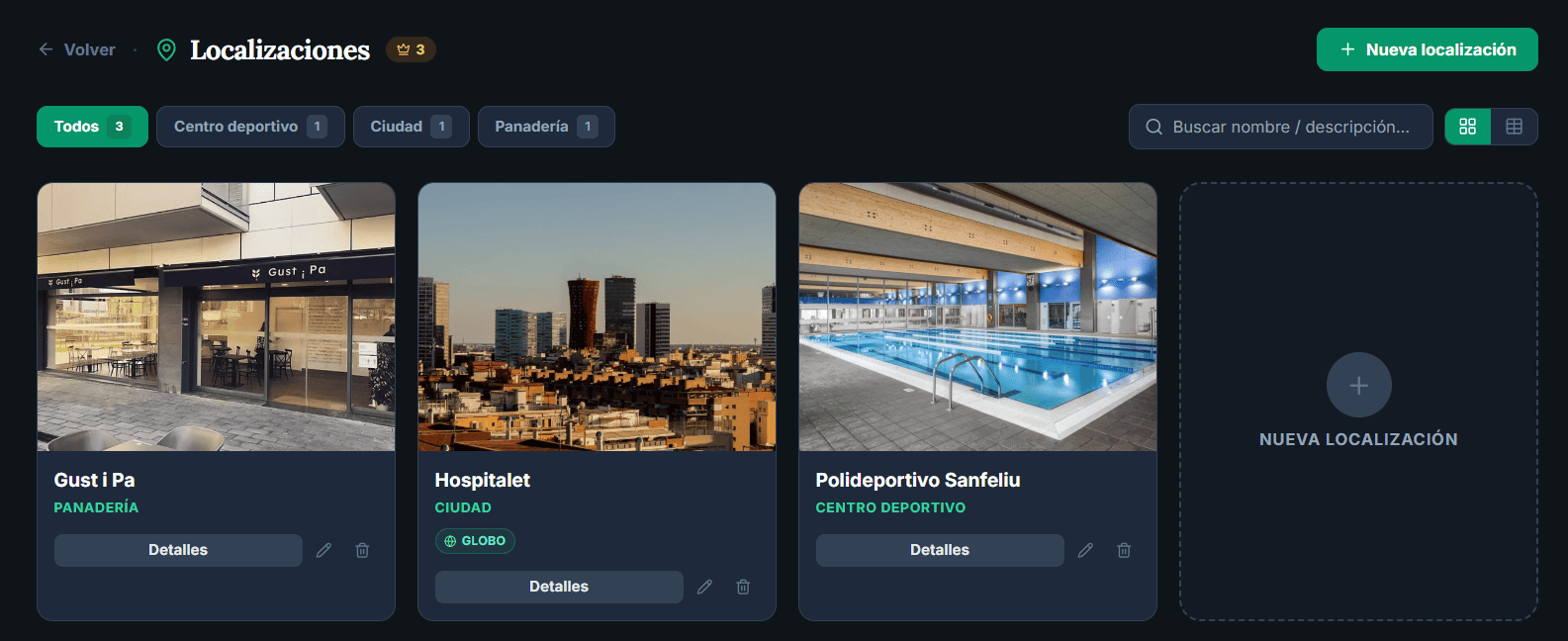
Locations are the places in your story. Each one has a name, a description, a type (city, building, landscape, other), a photo (uploaded by you or found on Unsplash from the location page itself) and, optionally, geographic coordinates if it’s a real place.
Locations can be nested: a city can contain neighborhoods, a palace can contain rooms, a planet can contain continents. The hierarchy shows on each location page, so you never end up with a flat list of a hundred places in no particular order.
3. Maps
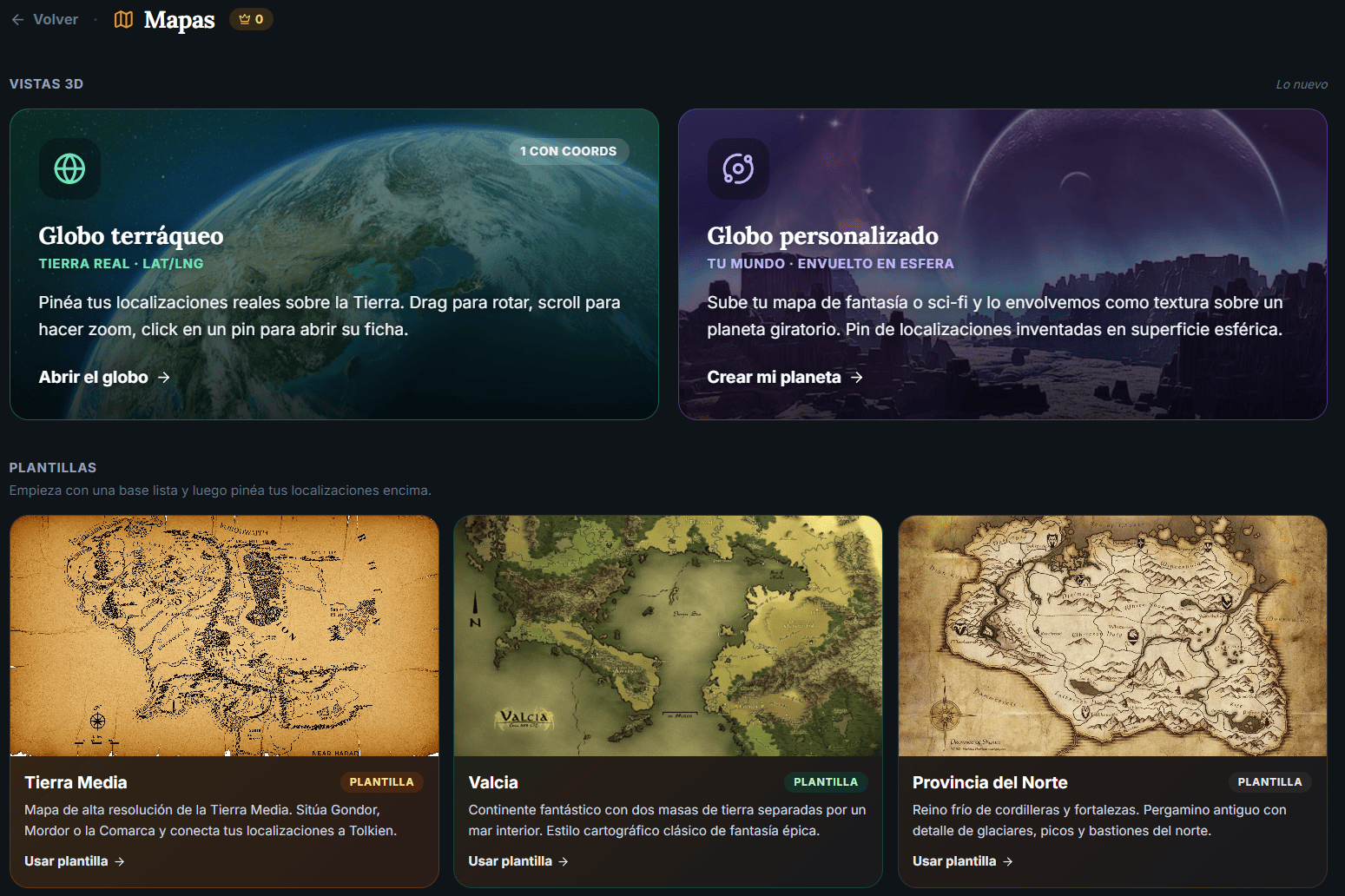
Maps are flat images with pins. You upload an image (a hand-drawn map, a stock image, a sketch) and place pins on it. Each pin can link to a location you’ve already created, so one click takes you from the map to the location page.
There are three ways to start a map:
Upload your own map and place pins on it.
Free template: currently Jade Seas.
PRO templates: Middle-earth, Valcia and Northern Province. All of them come with linked pins and a description of each place.
Maps can also be nested inside locations. The typical example: globe → map of a country → map of a city → floor plan of a building. Four levels of narrative zoom you can move through in either direction.
4. 3D globe
If your story takes place in real locations, the globe is the main view. It’s a 3D sphere showing the real Earth, where you place pins by latitude and longitude. Each pin links to a location (with its photo, description, nested places and so on). Hover over a pin to see a tooltip with the key details; click it to open the full location page.
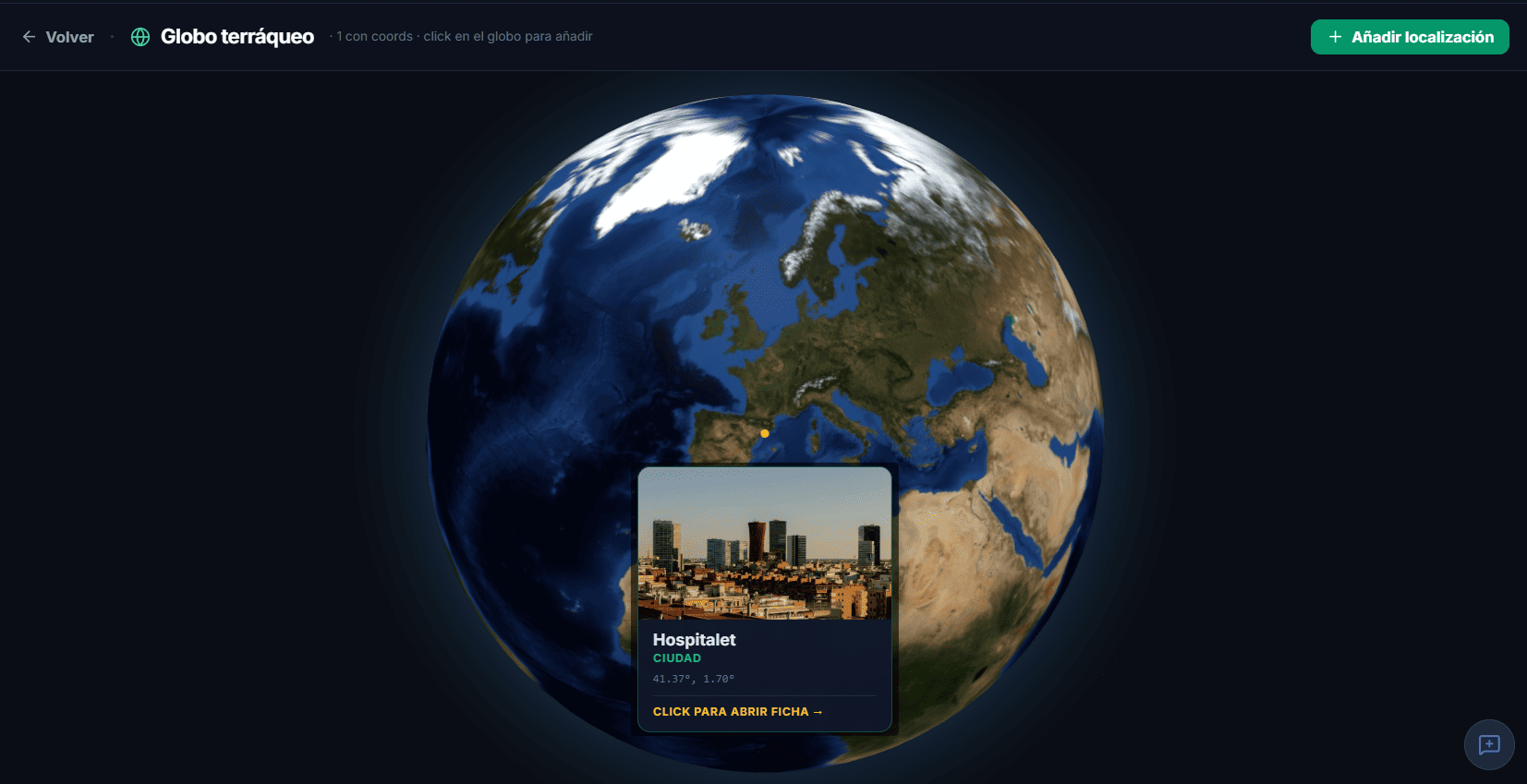
5. Custom globe
If your story takes place on an invented planet, you can upload an equirectangular texture and see it wrapped around a 3D sphere. In other words, you paint or generate a map of your world (there are procedural generators online), upload it, and get a planet you can explore, with its own pins.
There are also blank globe templates for starting from scratch, in addition to the PRO templates mentioned above (Middle-earth and the rest).
6. The key piece: linking to your text
All of this becomes valuable when you connect it to your documents. From a character or location page, you mark which texts it appears in. Then, while you’re writing, you open the Worldbuilding panel in the editor’s sidebar and see every character, location and map linked to the current document, without leaving it.
While you write, your whole universe stays one click away.
Worked example 1: an epic fantasy series
Say you’re writing a five-book series set in an invented world. Your Worldbuilding setup might look like this:
A custom globe with your planet’s texture (made with a procedural generator, uploaded once and done).
Top-level locations: the planet’s seven kingdoms, each with an illustration and a description.
Nested locations: inside each kingdom, its capital, border towns and sacred mountains.
Nested maps: a map with pins for your main kingdom and, inside its capital, a plan of the citadel.
20 characters created with AstroLab, so the AI gives you consistent archetypes (hero, mentor, shadow…) and birth charts that help you steer clear of clichés.
Links: each chapter is linked to the characters who appear in it and the places where it happens.
When you reopen the manuscript three months later, you don’t have to remember the name of the inn on page 47. Open the sidebar panel and it’s there, with its photo, its description and the characters who drink there.
Worked example 2: travel stories and autofiction
A different profile: you’re writing a series of stories set in real cities you’ve visited. Your setup:
The globe with a pin in each city: Lisbon, Istanbul, Havana, Berlin…
Each pin leads to a location with a photo found on Unsplash from the location page (you don’t need your own image), an atmospheric description and personal notes on what happened there.
Manual characters with short descriptions: the waitress at the harbor café, the old man who fed the pigeons, the musician in the subway.
One-to-one links: each story is linked to its city and the characters who pass through it.
When you come back to the manuscript years later, you open a city on the globe and the small details that led to the story come back with it. Geographical memory becomes narrative memory.
Limits and plans
Free users can create up to 5 characters, 5 locations, 2 flat maps and 1 custom globe, and use the free Jade Seas template. PRO users get much higher limits plus access to the premium templates (Middle-earth, Valcia, Northern Province) and the Convert manual → astrological feature.
Where to start
The most natural starting point is one main location and two or three characters. Don’t try to map the whole world before you write: the module is designed to grow at the pace of the work. Each new scene adds pieces, and after a few weeks you have a universe you can navigate, with almost no extra time spent “building” it.
You’ll find it at Worldbuilding in the sidebar. And remember that it’s also in the editor, always one click away.